
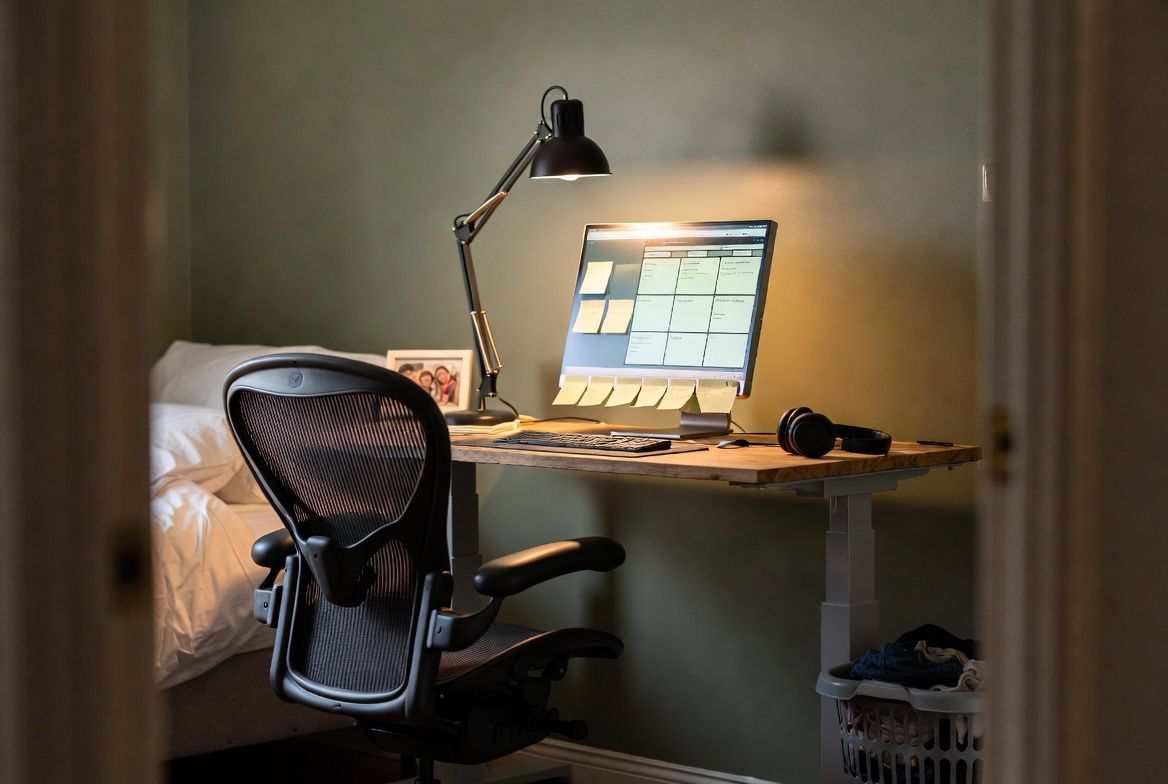
Every "home office essentials" list includes the same fifteen items in slightly different order. This one is shorter, more opinionated, and built for people who are trying to do focused work in a house that also functions as a daycare, a kitchen, and occasionally a fort.
Your chair is the whole game
Start here. Not with the desk, not with the monitor, not with the aesthetic shelf arrangement for your video background. Your chair determines how long you can sit and work before your back forces you to get up, and if you're a parent working in compressed windows between childcare, you cannot afford to lose 20 minutes of your focus time to discomfort.
A 2025 study in Applied Sciences confirmed what your spine has been telling you: ergonomic chairs encourage measurably more upright posture than standard office or kitchen chairs. The difference shows up in trunk angle and head position, both of which affect how your neck and lower back feel by mid-afternoon.
Budget tier ($100 to $200): the Sihoo M18 offers lumbar support and a mesh back that breathes. It looks like a $400 chair. Mid-range ($200 to $500): the Autonomous ErgoChair Pro gives you adjustability that most chairs at this price skip entirely. Above $500, you're in Herman Miller territory, and if your employer offers a home office stipend (ask before you buy anything), this is where to direct it.
Check with your employer about equipment reimbursement before spending your own money. Many companies offer $500 to $1,500 for home office setup. If yours doesn't, keep your receipts. Self-employed workers can deduct home office expenses; W-2 employees currently cannot under IRS rules (as of 2026, the Tax Cuts and Jobs Act still blocks this deduction for employees). Talk to your accountant about your specific situation.
The monitor changes everything
If you've been working on a laptop screen for more than two months, you're probably experiencing neck strain you've stopped noticing. Laptop screens sit too low. Your head tilts forward. Research links this posture to roughly three times the risk of neck and upper back pain compared to working at an external monitor positioned at eye height.
A 24-inch external monitor costs $120 to $200. A monitor arm ($40 to $140) lets you position it at the exact right height and reclaims the desk space the stand was eating. This combination, roughly $200 total, is the highest-impact productivity investment after a good chair.
If the budget isn't there yet, a laptop stand ($20 to $30) that raises your screen to eye level does 80% of the job. Pair it with an external keyboard ($30 to $50) so your wrists aren't floating at chin height. The keyboard is not optional if you raise the laptop; typing on an elevated laptop is worse than the problem you're solving.
What helps you focus (the honest version)
Productivity content will tell you about specific desk plants, ambient lighting strips, and custom Notion dashboards. Most of that is aesthetic, not functional.
What actually helps focus when you work from home: eliminating the specific distractions that derail you. These are personal. For some people it's visual clutter (solution: a clear desk surface and a basket to sweep loose items into before starting work). For others it's sound (solution: noise-canceling earbuds or a white noise app on your phone). For parents, the biggest distraction is often not a thing but a feeling: the constant awareness that something in the house needs doing.
One tactic that works for fragmented-attention days: the 25-minute work block. Set a timer. Work on one thing. When the timer goes off, check on whatever needs checking (kid, laundry, lunch prep), then start another block. This isn't a branded productivity method. It's just acknowledging that your attention has real constraints and working with them instead of pretending you have three uninterrupted hours ahead of you.
Apps that genuinely help: Toggl Track for understanding where your time actually goes (the data is often surprising), and Google Calendar for time-blocking your day in a way that accounts for pickups, naps, and the school nurse call that always comes at 10:30am.
Breaks that don't turn into detours
Taking breaks matters. Sitting for more than 30 minutes without movement increases the risk of back pain and reduces cognitive performance. Ergonomics expert Kermit Davis at the University of Cincinnati puts it simply: "The body doesn't like static postures continually." But "take a break" at home means something different than it does in an office. At an office, you walk to the break room. At home, you walk past the dishes, the unfolded laundry, and the toys scattered across the hallway.
Define what a break is before you take one. A break is five minutes. It's a walk to the kitchen for water, a stretch by the window, a lap around the backyard. It is not emptying the dishwasher, starting a load of laundry, or reorganizing the pantry. Those are household tasks, and they consume time and mental energy you need for the next work block.
If you find that breaks always spiral into chores, try keeping your break inside your workspace. Stand up, stretch, look at your phone for two minutes, sit back down. Leaving the room is where the detours begin.
The real cost of a functional setup
Here is what a practical home office costs in 2026:
Minimum viable setup ($300 to $600): ergonomic chair, laptop stand, external keyboard, desk lamp. You can work effectively with this. Your desk can be whatever surface you already have.
Comfortable setup ($800 to $1,500): everything above plus an external monitor, monitor arm, wireless headset, and a dedicated desk if you don't have one. This is where most remote workers should aim over time.
The common recommendation to spend $2,000 or more on a standing desk and premium accessories is fine if the budget allows. But unnecessary for productive work. Spend where your body complains (chair, screen height) and save on everything else.
This week
Ask your employer if they offer a home office stipend or equipment reimbursement. A surprising number of companies provide this, and a surprising number of employees never ask. If they say yes, buy the chair first. If they say no, a lumbar pillow and a laptop stand for under $60 total will change how your back feels by Friday.