
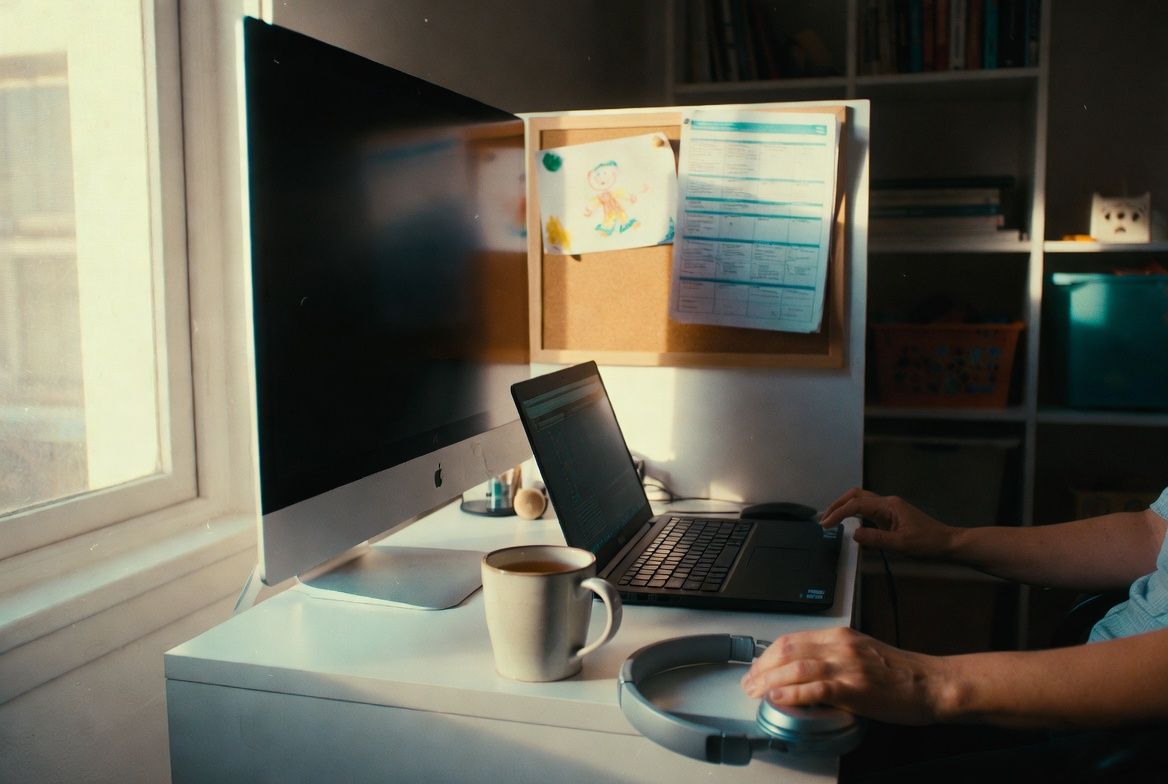
Most home workspace advice assumes you have a spare bedroom, a budget for a standing desk, and uninterrupted hours to arrange your new office. If your reality involves a kitchen table, a toddler, and thirty minutes between meetings, here is the version that actually helps.
The space question
Not everyone has a dedicated room. That is fine. What you need is a consistent spot. The same corner, the same chair, the same view. Your brain starts to associate that location with work mode, which matters when the rest of your house is pulling you toward dishes, laundry, and the snack cabinet.
If your workspace is in a shared area (living room, bedroom, kitchen counter), the single best upgrade is a visual boundary. A room divider, a bookshelf turned sideways, even a specific lamp that only turns on during work hours. It signals to your household and to your own brain that this space has shifted purpose.
Parents working from shared spaces need one additional thing: a signal for "I am on a call." A closed door works if you have one. A red card on the desk works if you don't. Kids as young as three can learn that the red card means wait. They won't always respect it, but they'll understand it.
Lighting does more than you think
Natural light wins. Position your desk facing a window or perpendicular to one, not with the window behind you (that turns you into a silhouette on video calls). If your only option is a room without windows, a daylight-temperature LED desk lamp ($20 to $40) is worth every dollar.
Research from ergonomic studies consistently links lighting quality to both productivity and mood. The overhead fluorescents in your kitchen probably aren't helping. A single well-placed lamp changes the feel of a workspace more than any desk organizer.
For video calls specifically, front-facing light is what matters. You don't need a ring light unless you're on camera five hours a day. A desk lamp positioned behind your laptop, angled toward your face, does the same job for a fraction of the cost.
Your video background is a daily decision
Here is what interviewers, clients, and coworkers actually notice: clutter directly behind your head, and movement. They do not notice your wall color, your bookshelf arrangement, or whether your plant is real.
Keep the area immediately behind your usual seat tidy. That's it. You don't need to redesign the room. If your workspace is in a high-traffic area and kids or pets regularly wander through the frame, virtual backgrounds in Zoom or Teams work well enough. The technology has improved significantly since the early days of pixelated edges and disappearing ears.
The acoustics problem nobody mentions
Sound is the most underestimated workspace issue. A hard-floored room with bare walls amplifies everything: your voice echoes on calls, background noise doubles. If you're in a room like this, a rug and a bookshelf with actual items on it (not decorative, just stuff) absorb more sound than you'd expect.
A decent wireless headset solves the other half of the problem. Wired headsets work fine until a small person yanks the cord mid-sentence. Wireless options with a noise-canceling microphone run $80 to $200, and they're the single best investment for anyone who takes calls from a house with kids, dogs, or both. The Jabra Evolve2 series is genuinely good for this specific use case.
Ergonomics on a budget
Your chair is more important than your desk. That is not opinion, that is what the data shows. A 2025 study published in Applied Sciences found that chair type significantly influences trunk posture, with ergonomic chairs encouraging more upright positioning. Your kitchen chair is not ergonomic, no matter how many cushions you add.
Budget ergonomic chairs start around $150. The Sihoo M18 (under $200) offers adjustable lumbar support that is rare at that price. If $150 is not in the budget right now, a lumbar support pillow ($25 to $40) attached to whatever chair you're using buys you time.
An external monitor is the second biggest upgrade. Laptop screens force you to look down, which research links to roughly triple the risk of neck and upper back discomfort compared to a properly positioned external screen. A basic 24-inch monitor runs $120 to $200. If budget is tight, a laptop stand ($20 to $30) that raises your screen to eye level helps more than you'd guess.
The Human Factors and Ergonomics Society reports a 15% increase in productivity when people work in ergonomically designed spaces. Spending $200 on a decent chair and a laptop stand is a better return on investment than almost any productivity app you could download.
What you probably don't need
Standing desk converters are popular but overrated for parents who are already on their feet half the day chasing kids. A good sitting setup with regular breaks works just as well for most people. If you want to alternate, a $30 adjustable laptop riser on top of your existing desk creates a standing option without the $400 commitment.
Skip the ring light (a lamp works), the white noise machine (your phone has this), and the desk treadmill (you know yourself). Put that money toward the chair and the monitor. Everything else is negotiable.
This week
Do one thing: measure the height of your current screen relative to your eye level. If the top of the screen is not roughly at eye height, fix that. A stack of books works today. A proper stand or monitor works next paycheck. Your neck will notice the difference before the end of the week.