
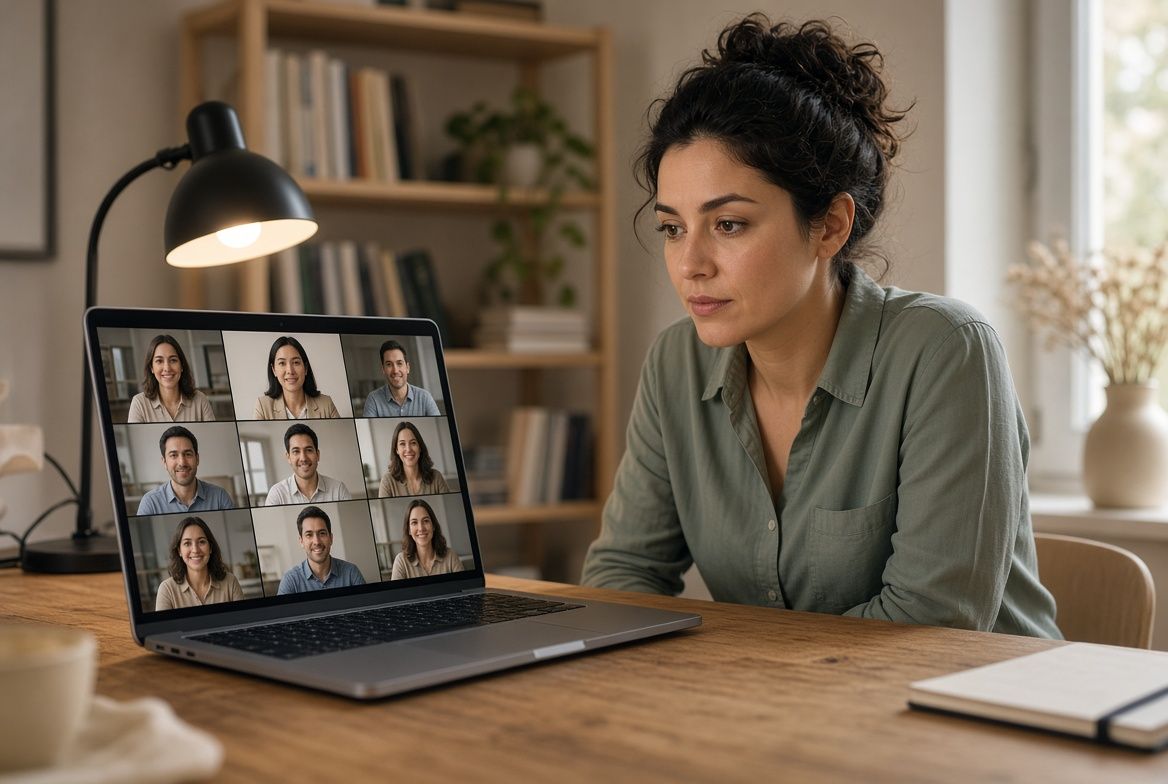
Video interviews are now the default for early and middle rounds at most companies. The advice that worked for in-person meetings transfers partially, but the medium introduces challenges (and advantages) that deserve specific preparation.
The camera changes everything about body language
In person, your whole body communicates. On video, only your face and upper body are visible. That compression amplifies small movements. A slight lean forward reads as engaged. Slouching reads as disinterested. Touching your face reads as nervous. Every gesture carries more weight on a screen because there is less visual information for the interviewer to work with.
Sit up straight but not rigid. Keep your shoulders relaxed and slightly back. When you speak, use small hand gestures within the frame if that is natural for you, but keep them controlled. Large arm movements on video are distracting. The goal is to look like someone having a focused conversation, not delivering a presentation.
Eye contact on video requires a counterintuitive adjustment: look at the camera lens, not the screen. Research on video call dynamics confirms that camera-directed gaze is perceived as direct eye contact by the other party. When you look at the interviewer's face on your monitor, your gaze appears slightly downcast on their end. Looking directly at the camera simulates direct eye contact. This feels strange at first. Practice with a friend on a video call and ask them to confirm the difference.
Your background is part of your presentation
What sits behind you communicates something about you whether you intend it to or not. A cluttered room suggests disorganization. A blank wall suggests you set this up hastily. A bookshelf, a plant, or a piece of art suggests a settled, intentional space.
You do not need a home office. A dining table against a tidy wall works. A corner of a bedroom with a simple backdrop works. The bar is lower than you think: minimal visual clutter, no laundry piles, nothing distractingly personal (medication bottles, family arguments on a whiteboard, prominently displayed alcohol).
Virtual backgrounds are acceptable but not ideal. Most platforms' virtual backgrounds glitch around hair and moving hands, creating a distracting shimmer effect. If your real background is reasonably clean, show it. If it is not, a slightly blurred real background (available in Zoom, Teams, and Google Meet) looks more professional than a virtual beach scene.
Lighting that makes you look human
The single biggest factor in how you look on video is not your camera quality. It is your lighting. Poor lighting makes everyone look tired, washed out, or shadowy. Good lighting makes you look alert and professional.
The rule: your primary light source should be in front of you, not behind you. Sitting with a window behind you turns you into a silhouette. Sitting facing a window bathes your face in natural light, which is the most flattering option. If you do not have a forward-facing window, a desk lamp positioned behind your laptop (pointing toward your face) serves the same function.
Ring lights work but are not necessary. A simple lamp with a white or warm-white bulb, positioned at eye level and slightly to one side, eliminates harsh shadows without the ring-light "studio" look. Overhead-only lighting creates unflattering shadows under your eyes and nose. Add a front-facing source to counterbalance it.
Test your lighting the day before by opening your video app and sitting in your interview position. Adjust until your face is evenly lit without bright spots or dark areas. This takes two minutes and makes a visible difference.
Audio quality matters more than video quality
A slightly grainy video is fine. Choppy, echoing, or muffled audio is not. Interviewers will forgive a less-than-perfect camera but they will not forgive struggling to hear or understand you.
Use earbuds or a headset if possible. Your laptop's built-in microphone picks up room echo, keyboard clicks, and ambient noise that a close-range microphone avoids. Wired earbuds are more reliable than Bluetooth, which can introduce lag or disconnect mid-sentence. If you use Bluetooth, make sure they are fully charged and paired before the call.
Close your windows. Ambient street noise, birdsong, and wind all register on a sensitive microphone even when they seem quiet to you. If you are in a room with hard floors, lay down a rug or towel (out of frame) to reduce echo.
The notes advantage (use it wisely)
Video interviews share one advantage with phone interviews: you can have notes visible without the interviewer knowing. Place sticky notes around your monitor frame with key talking points, company research highlights, and your prepared questions. Or keep a document open on a second monitor.
The risk: obvious eye movement. If your gaze drifts to the side every time you answer a question, the interviewer will notice. Position your notes as close to the camera as possible (tape them just below the lens) so any glances are minimal. Reference them between questions, not during your answers.
Let the interviewer know you may glance at notes occasionally. "I have some notes I may reference during our conversation." This is professional, not weak. It signals preparation.
Managing the awkwardness of digital conversation
Video calls have a built-in latency, even on fast connections. This creates the interruption problem: you start talking just as the interviewer resumes speaking, and both of you stop. Then both of you start again. This happens in every video interview and it is not your fault.
The fix: pause slightly longer than feels natural before responding. A one to two second pause after the interviewer finishes speaking avoids most overlaps and gives you a moment to organize your thoughts. It also projects thoughtfulness rather than reflexive responding.
If you do talk over each other, simply say "please go ahead" and wait. Do not try to barrel through. The person who yields gracefully looks composed. The person who tries to talk louder does not.
Nodding works as an active listening signal on video. Small nods while the interviewer speaks confirm you are engaged without interrupting. Avoid the exaggerated bobblehead nod that some people default to on camera. Subtle and occasional is enough.
Technical failures (they will happen)
Your internet will drop. Your audio will cut out. Your video will freeze. This happens to everyone, including the interviewer. The question is not whether it will happen but how you handle it.
Have the interviewer's phone number or email accessible before the call starts. If your connection drops, immediately send a message: "I lost connection. Attempting to rejoin now." If you cannot reconnect within a minute, offer to continue by phone or reschedule.
Before the interview, close every application, browser tab, and background process you do not need. Video conferencing is bandwidth-intensive. Streaming music, cloud backups, and browser tabs with auto-refreshing content all compete for your connection. Give your interview the full bandwidth.